A complete document request solution
Intake
RECEIPT
New matters come in via a registered agent feed, online intake portal, internal email to the system, or manual entry.ROUTING
From an “Unassigned” list, each matter is assigned to an owner and routed for routine or escalated handling.Preparation
MANAGEMENT
Key details, status, and deadlines are all tracked in one place with built-in team collaboration.RESPONSE
Owners upload responsive documents and use templates to produce standardized documents and correspondence.Delivery
NOTICE
When the response is ready, Safari generates unique login credentials and sends them to the issuer.DOWNLOAD
Issuer uses the credentials to log in to the ServePort® Portal to download responsive documents.Fee Collection
INVOICING
The matter owner selects a pre-configured or custom invoice and records any prepayment.PAYMENT
Safari presents the invoice and collects online payment when the issuer downloads the response.Intake at the Source
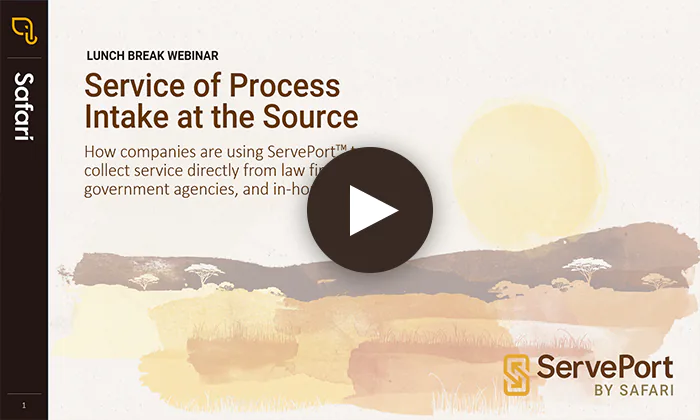
 Automatically create secure online portals for responsive documents.
- ServePort emails 2-factor access instructions and scheduled reminders
- Portals have no file size or type limitations and data is encrypted at rest and in transmission
- Manage expiration or keep the portal open for rolling productions
AI Data Extraction
 Automatically capture key data the moment a document arrives.
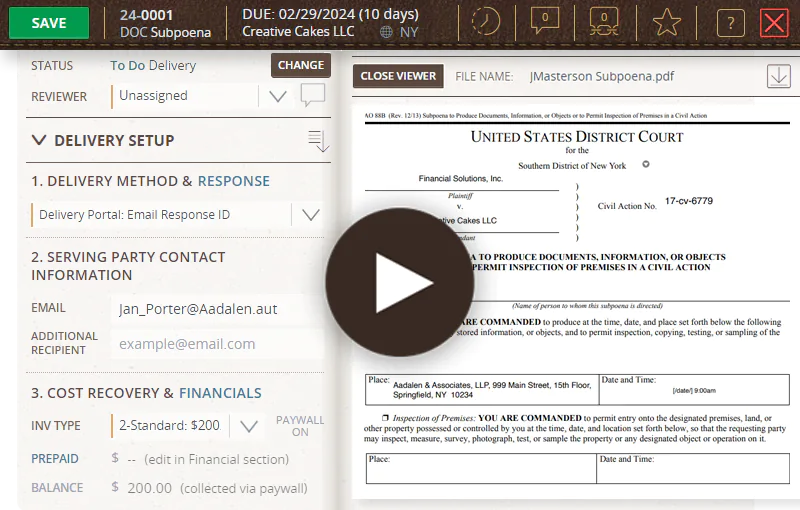
- Case numbers, return dates, issuing parties, and requested documents are auto-inputted on intake
- AI captures the details others miss—AKA subject names, handwritten TINs, and witness-fee checks
- Supplement blank fields from registered-agent feeds or override mismapped data entirely
- Every value is flagged and linked to its exact spot in the document; low-confidence fields wait for review

Streamlined Processing
 Pull together everything your team needs in one place.
- Organize matter details, communications, and produced documents
- Record progress notes and track deadlines, status, and workflow
- Create templates for frequently used docs and communications
- Review served documents alongside corresponding matter details

Secure Response Delivery
 Everything is tracked and easily reviewed throughout the process.
- Delivery details show the name/date/time of portal access, payment receipt, document download, and final closing or expiration
- Reports allow you to monitor all active portals
- Audit history eliminates discrepancies or disputes surrounding responses
Automated cost recovery
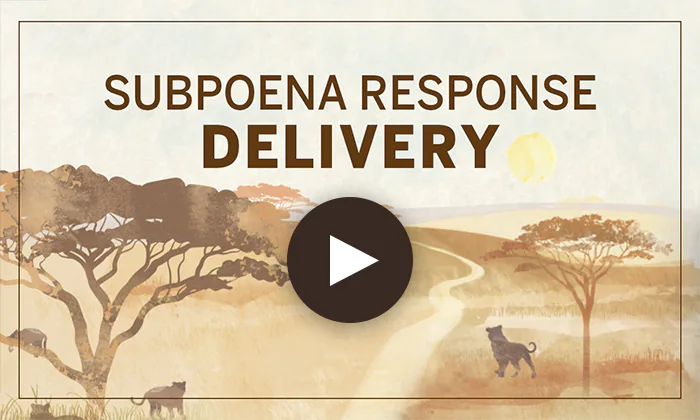
 An optional paywall ensures payment is received prior to download.
- Pre-configured invoices are added to the portal when paywall is enabled
- Custom billing for one-offs or negotiated fees
- Prepayments are auto-deducted from invoices
- Payment is collected prior to document download

A full life cycle solution for document requests

New Matter Intake
Streamline internal routing
Assign owners
Direct Feed from registered agent

Response Preparation
Centralize work
Track progress
Automate correspondence
File Management
View documents inline
Image files
Build a template library
Response Delivery
Simplify delivery
Deliver via ServePort®
Monitor receipt
Deliver to Government and Law Firms
Issuers of all types, including government and law enforcement agencies, use Safari's ServePort portal to receive documents. In fact, 46% of all Safari deliveries are to government entities, including the DOJ, FBI, SEC, IRS, and various state and local agencies. All the issuer needs is a web browser and an Internet connection.
Fee Collection
Preconfigure invoices
Create custom invoices
Collect online payments

Management Oversight
Run reports
View activity
Limit access

Trust and Security
Compliance
Auditing
Encryption
Subpoena tracking software: common questions
What does Subpoena Manager track for each subpoena?
Key details, status, deadlines, progress notes, communications, and produced documents, all in one place. On intake, AI data extraction captures case numbers, return dates, issuing parties, and requested documents, and audit history captures every action taken in the system.
How do new subpoenas get into the system?
New matters come in through a registered agent feed, an online intake portal, an internal email address, or manual entry. From an “Unassigned” list, each matter is assigned to an owner and routed for routine or escalated handling.
Can we see when the issuer received our response?
Yes. Delivery details show the name, date, and time of portal access, payment receipt, document download, and final closing or expiration, and reports let you monitor all active portals. Issuers, including government and law enforcement agencies, download responses from the ServePort® portal with only a web browser.
Can Subpoena Manager collect subpoena response fees?
Yes. An optional paywall adds a pre-configured or custom invoice to the portal and collects payment before the issuer can download the response. See who pays subpoena response fees, when, and how much.
Who uses Subpoena Manager?
Teams that respond to subpoenas at banks, credit unions, and other companies, including First Merchants Bank, Mountain America Credit Union, and Red Robin.
 Ashley Ewing
Research Specialist,
First Merchants Bank
 Christina Santangelo
Litigation Manager,
Red Robin
 Amanda Sundell
Legal Processing Specialist,
Mountain America Credit Union